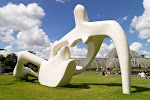
Picnik is yet another useful Web 2.0 tool that is very simple to use. I'll definitely use it in the future for editing my photos and removing all those annoying red eyes etc. An added bonus was that you didn't even have to register to use it. It was quite fun playing around with the photos to get the look you wanted, although it was tempting just to click on Auto Fix to let the site do it all for you!
I've added to this post a photo I edited via Picnik, taken at Castello Sant'Angelo in Rome.
Showing posts with label Week 4. Show all posts
Showing posts with label Week 4. Show all posts
Friday, 12 February 2010
"Old red eyes is back" (Beautiful South; Song: Old red eyes is back; Album: 0898)

"I've been looking so long at these pictures of you" (The Cure; Song: Picture of You; Album: Disintegration)

Here's one of the first photos that I uploaded to Flickr. It's a close up I took of a sculpture in the grounds of Sausmarez Manor on Guernsey.
"Flick-A Flick-A Flick-A ... Here you are!" (The Cure; Song: The Caterpillar; Album: The Top)
I love Flickr and I can see already that it is yet another Web 2.0 tool that i've never used but will continue to use in the future. The closest I've come to uploading photos and editing them is using Photo Box; which I currently use to order prints of my photos. I found it really easy to use, once I'd set up my yahoo and Flickr account (this seemed to take a while for me as every yahoo e-mail address and Flickr screen name I choose was already taken!).
Uploading the photos was a really simple process and so quick to do (on Photo Box it seems to take forever). The sets option is a really useful feature for organising your photos in a coherent way. Being able to tag and add descriptions is also useful and the geotagging feature is brilliant, I also liked viewing my photos via the slide show option.
As I wanted to create a set on a theme, the first photos I added to my Photostream are photos of sculptures I have taken in various places. It was nice to have them all together in one set and really interesting to look in one set as they had been housed in all different folders on my computer according to the trip they were taken on. I'm going to continue create sets on other themes of interest to me.
At the moment I'm being a bit cautious and apart from the photos I took of SSL to upload to the 23 Things Group I've made them all private; which I would always tend to do for holiday/family photos and just share them with friends and family. I'll probably change this in the future as I add more things and finish adding more sets and playing around with them.
Uploading the photos was a really simple process and so quick to do (on Photo Box it seems to take forever). The sets option is a really useful feature for organising your photos in a coherent way. Being able to tag and add descriptions is also useful and the geotagging feature is brilliant, I also liked viewing my photos via the slide show option.
As I wanted to create a set on a theme, the first photos I added to my Photostream are photos of sculptures I have taken in various places. It was nice to have them all together in one set and really interesting to look in one set as they had been housed in all different folders on my computer according to the trip they were taken on. I'm going to continue create sets on other themes of interest to me.
At the moment I'm being a bit cautious and apart from the photos I took of SSL to upload to the 23 Things Group I've made them all private; which I would always tend to do for holiday/family photos and just share them with friends and family. I'll probably change this in the future as I add more things and finish adding more sets and playing around with them.
Subscribe to:
Posts (Atom)